
Depending on your integration method, you may use unique shipping codes, these will need to be mapped to our SCAC (Standard Carrier Alpha Code). To set up your custom SCAC mappings:
1. Navigate to Settings > Shipment Options
-3.png)
2. Sort by the Used By Partner header in Descending to show all the marked checkboxes.
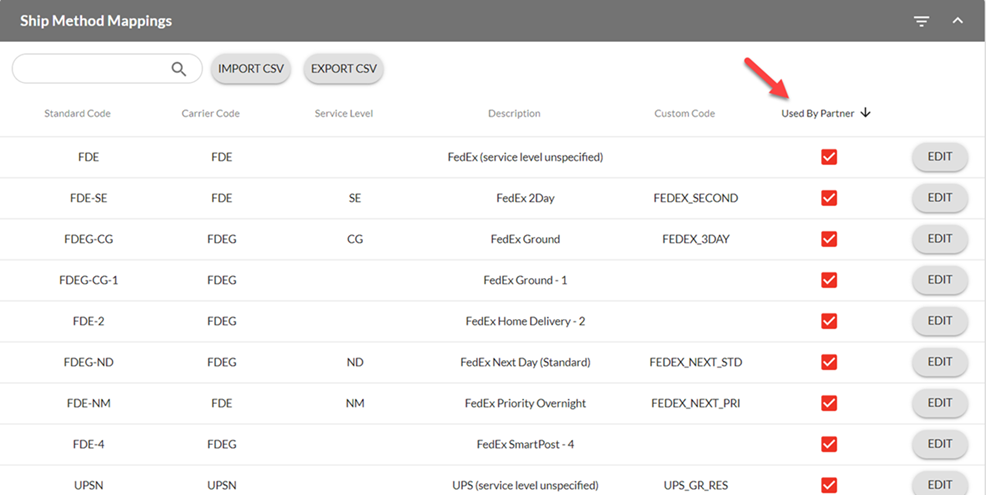
3. To configure your custom SCAC, click on Edit. A new window will appear where you can enter the code that you want to come inbound (orders) and you will use outbound (shipments). Click Save.
Standard Code: The code Logicbroker uses
Custom Code: Code used by you
- For EDI, this will make sure that any codes sent in the shipment in the ClassCode field or the TD505 field in EDI will properly send to the Retailer with the appropriate Carrier Code and Service Level Code.
-3.png)