
This is very important. Your orders from DSG will contain the UPC in the Supplier SKU section.
This is done intentionally and it's expected that returning documents such as the acknowledgements, shipments, and invoices also contain the UPC.
If this is not supported by your system, then the following needs to happen:
- Contact Support@logicbroker.com to have 'auto-match' disabled on the DSG side for your account
- Once confirmed, you must load a matching file into Inventory with the UPC as the "MerchantSKU" and your SKU as the "SupplierSKU". Template is attached called matched_template
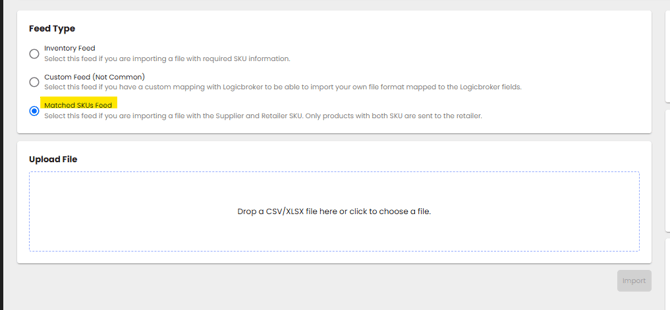
- Load this at this section within Logicbroker here: https://portal.logicbroker.com/advanced-product-management/import
- Ensure you have "Matched SKUs" checked.
- Hit "Import"
- IMPORTANT: This is a one time load, but each time a new SKU is added to your assortment, you must do this for the new SKU. Otherwise, that new SKU will never reach the DSG feed.
| 📎matched_template.csv
25 Bytes Download
|