Audience: Retailers use this to configure their taxonomy, showcase product requirements, and review and manage products sent from their suppliers. Suppliers use this functionality to upload products, map their attributes to the retailer's specifications, and collaborate with retail partners.
In this article, you will find information related to the Product Onboarding Center. The sections within this article are outlined below:
- Overview
- Data Flow
- Navigating to the Product Onboarding Center
- User Permissions
- Product Onboarding Center Terminology
- Related Content
Overview
The Logicbroker Product Onboarding Center provides retailers and manufacturers with the ability to collect product data from their suppliers quickly and in their required format. The product onboarding center accelerates product onboarding times through more automation tools while providing suppliers with guardrails to help drive more compliant product file uploads and reduce the overall error rate. With this module, retailers and manufacturers can easily discover new products from their supplier network to quickly expand the assortment. Once the retail organization approves the data, workflows will help to provide full visibility into the synchronization process.
Data Flow
The standard product upload process is shown in the diagram below, however, there is opportunity to customize this depending on your business needs.
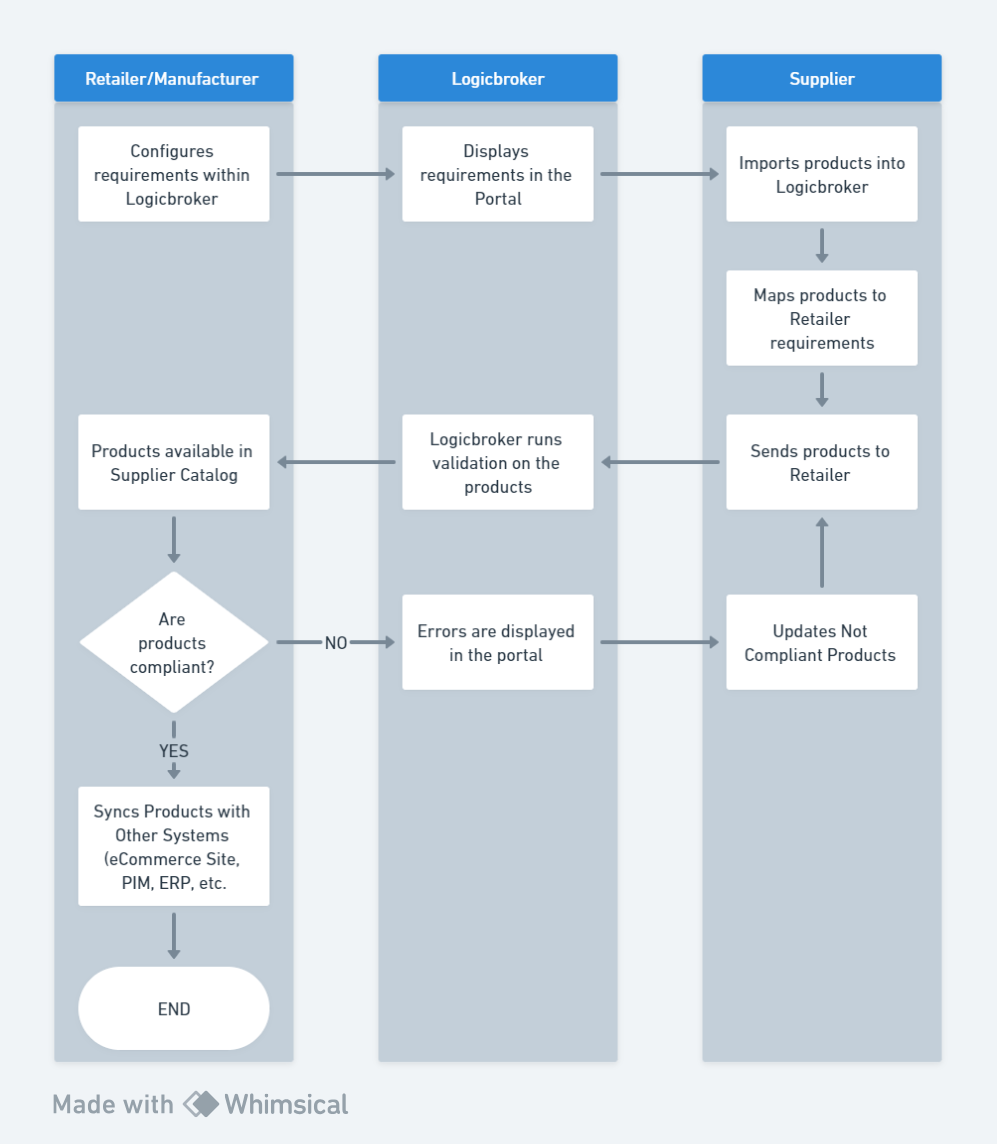
Navigating to the Product Onboarding Center
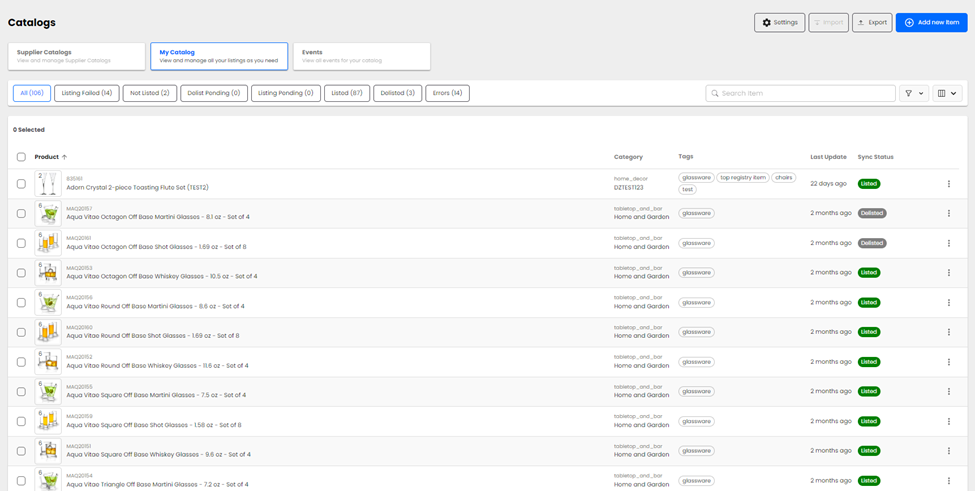
To access the Product Onboarding Center, navigate to the Products tab on the left-hand side toolbar and select Onboarding from the dropdown. This feature has various components, which are explained below.
User Permissions
Depending on a user's role within their organization and how they work with product data, there may need to be additional user permissions enabled.
| Permission | Capabilities |
| Inventory/manage |
|
| Settings/manage |
|
Product Onboarding Center Terminology

Search – utilize the product search the way you would the omnisearch. Users can stack multiple terms and use the asterisk as a wildcard to pull specific information without combing through pages of SKUs.