
Audience: All users in Logicbroker.
In this article, you will find information related to Shipment Options. Suppliers can create box presets and suppliers and retailers can view partner ship methods and map their own custom codes. The sections within this article are outlined below:
Boxes
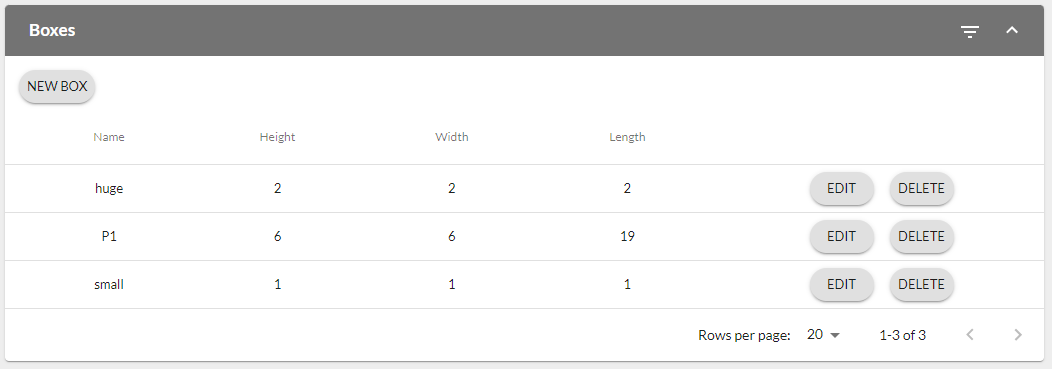
The Boxes section allows suppliers to configure their commonly-used box dimensions as presets. This saves users time when creating documents by not having to input these fields on each shipment. For more information on shipments including fields, settings and instructions on individual document creation, see our Shipments article.
- New Box: to add a new box, click on New Box > enter in what you want to name it and the dimensions - you'll still have to input weight on shipments since this may vary depending on what is in the box
- Edit/Delete Address: click on Edit or Delete to make changes to your saved boxes or remove them
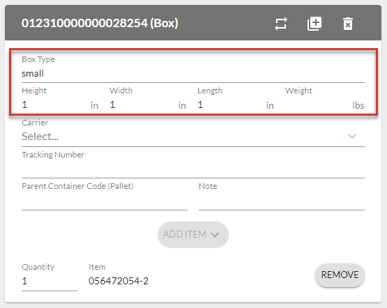
- See it in action: Once you set up a box preset, you will see a dropdown in the Box/Packages section of shipments. Click on the dropdown > select you preset > see dimensions reflected > enter in your box weight
Ship Methods
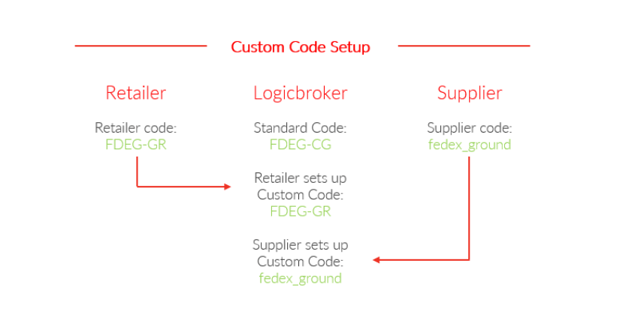
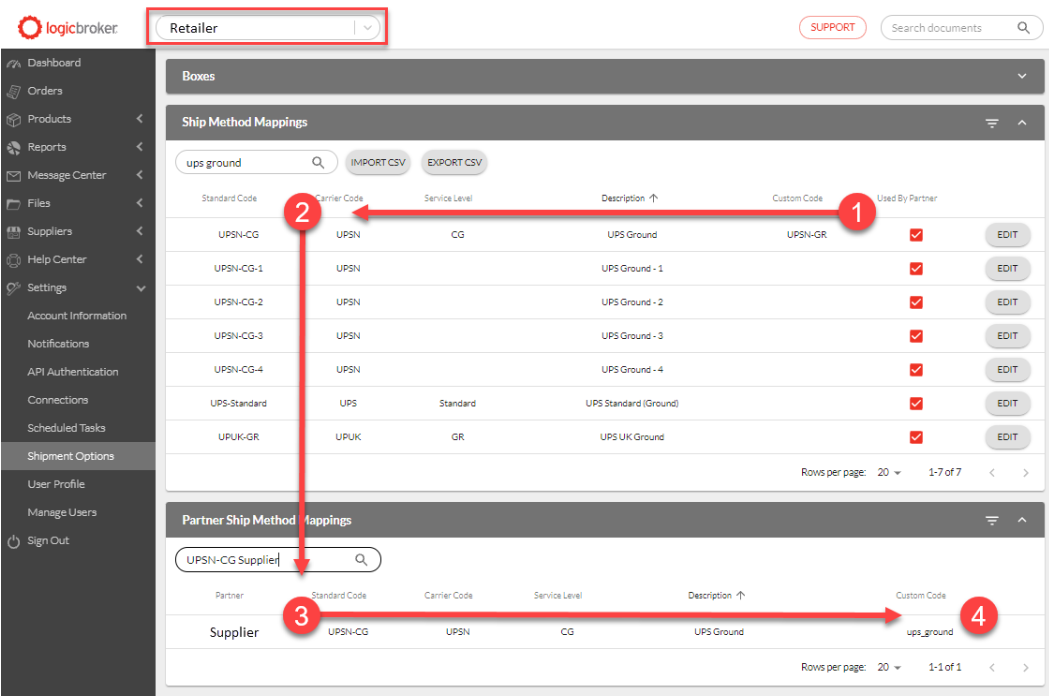
Ship Methods are the way in which information is communicated through partners about how an order will be shipped. Every partner has their own way of expressing a specific carrier and service level through a variety of codes and descriptions. Logicbroker’s ship method mappings function allows suppliers and retailers to map their unique custom codes to our standard codes.
Creating this mapping will ensure the correct codes (both carrier and service level) will be sent to your partner in full compliance.
✨Tip:
Suppliers can avoid mapping custom codes and have all codes for shipments defaulted to what is received on the order. This is a Logicbroker Direct feature, to learn more about this offering, see Logicbroker Direct (scroll down to Features and Their Use Cases > Portal Configurations > Copy Ship Method from Order to Shipment)
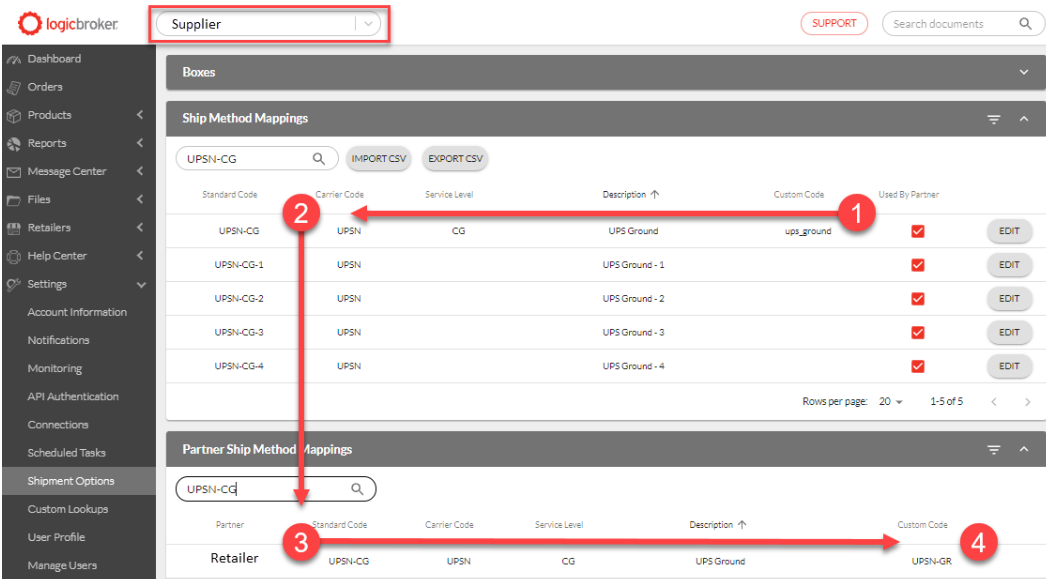
-
- Suppliers will send in Shipments with a ship method using the Custom Code they configured
- Logicbroker translates the Custom Code to a Standard Code
- Logicbroker sets the Standard Code on the Shipment
- Before the Shipment leaves the system, Logicbroker translates the Logicbroker Standard Code to the retailer’s Custom Code