
In order to activate your Walmart Marketplace connection, you must be an active Logicbroker customer.
About this app
Walmart Marketplace is an online platform where third-party sellers list products on Walmart’s website, accessing Walmart’s vast customer base. Logicbroker’s connection to Walmart Marketplace provides sellers with an easy way to connect, sell on and process orders using a single connection. Start selling on Walmart Marketplace! Become a Seller
Features
- Send Inventory
- Send Products
- Receive Orders
- Receive Cancellations
- Receive Return Requests
- Send Acknowledgments
- Send Cancellations
- Send Shipments
- Send Returns
Regions
- North America (please note this does not include Mexico or Canada)
Website: https://www.walmart.com/
Walmart Seller Support: https://sellerhelp.walmart.com/s/?language=en_US
Inventory updates in the Logicbroker system will be sent into Walmart Marketplace on a schedule (every 15 minutes).
Sellers have 2 options to send pricing updates into Walmart Marketplace:
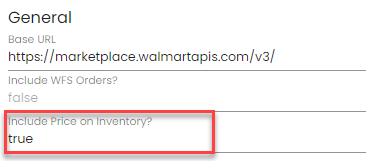
- Through Inventory: Sellers will update the Logicbroker Cost field on Inventory and this updates the Walmart Marketplace Price field on their site. To send pricing updates through Inventory, go to Connections > Connectors > Walmart > General > Include Price on Inventory > set this to true
(Note: this setting will be set to false by default)
- Through Products: Sellers will update the Logicbroker Selling Price on Products and this updates the Walmart Marketplace Price field on their site. This is the defaule behavior and does not require any setup
- The customer initiates the return from their Walmart account
- Logicbroker pulls in the return
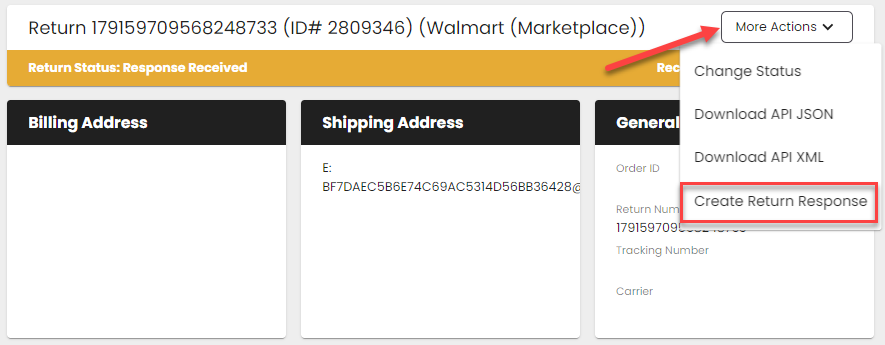
- The seller creates a return response off the return request document in Logicbroker
- Logicbroker posts back the refund back to Walmart Marketplace
- Logicbroker account (seller flow) - become a Logicbroker customer
- Walmart Marketplace Seller account - become a Walmart Marketplace seller
- In the portal, go to Connections > Connectors > Connect to a new system > Walmart
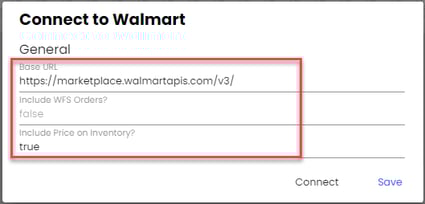
- Under the General section, select a Base URL using the dropdown (Note: using the sandbox URL will only provide sample responses from Walmart during testing)
- Mark Include WFS Orders? as true is you are processesing WFS orders
- Mark Include Price on Inventory? as true if you would like to send pricing updates on Inventory instead of on Products
- Click Connect
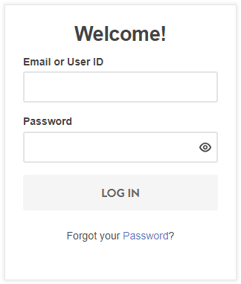
- Once prompted, log in using your Walmart Marketplace Seller credentials
- Authorize the permissions
- Connection complete!
Note: If switching from using credentials (API Key, Consumer ID, Channel Type) to using OAuth (logging in using Walmart credentials), be sure to save your credentials in another place in case you need to revert back.
| Issue | How to troubleshoot or resolve |
|---|---|
| nothing here yet! |
FAQ’s
nothing here yet!
Also see Walmart's Seller Help page.
| Date | Update |
|---|---|
| 8/21/24 | Support for OAuth connection |