
All Suppliers
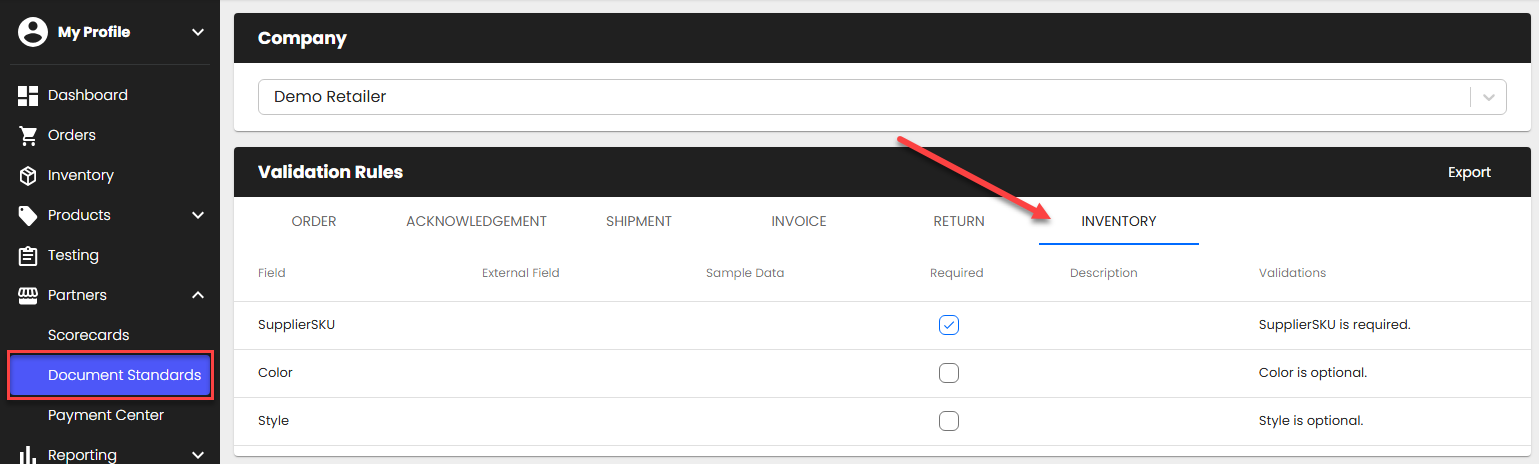
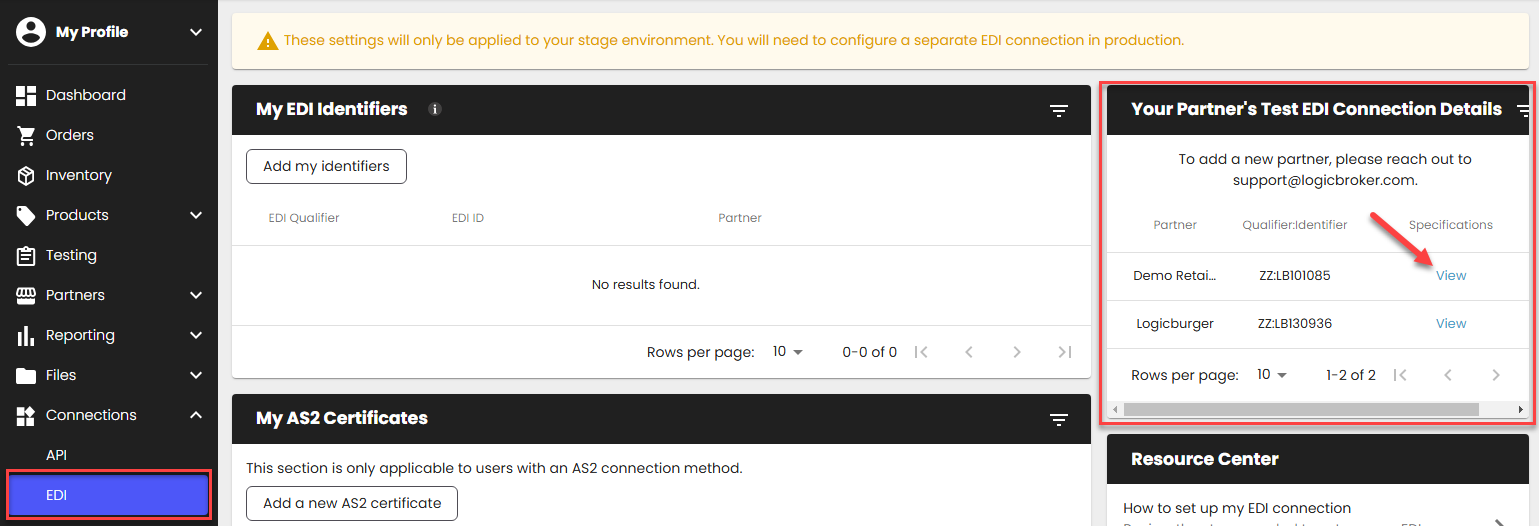
- Review your retailer's inventory requirements:
- For Portal and API Suppliers: from the Document Standards page in the portal.
- For EDI Suppliers: from the EDI Connections page.
- For Portal and API Suppliers: from the Document Standards page in the portal.
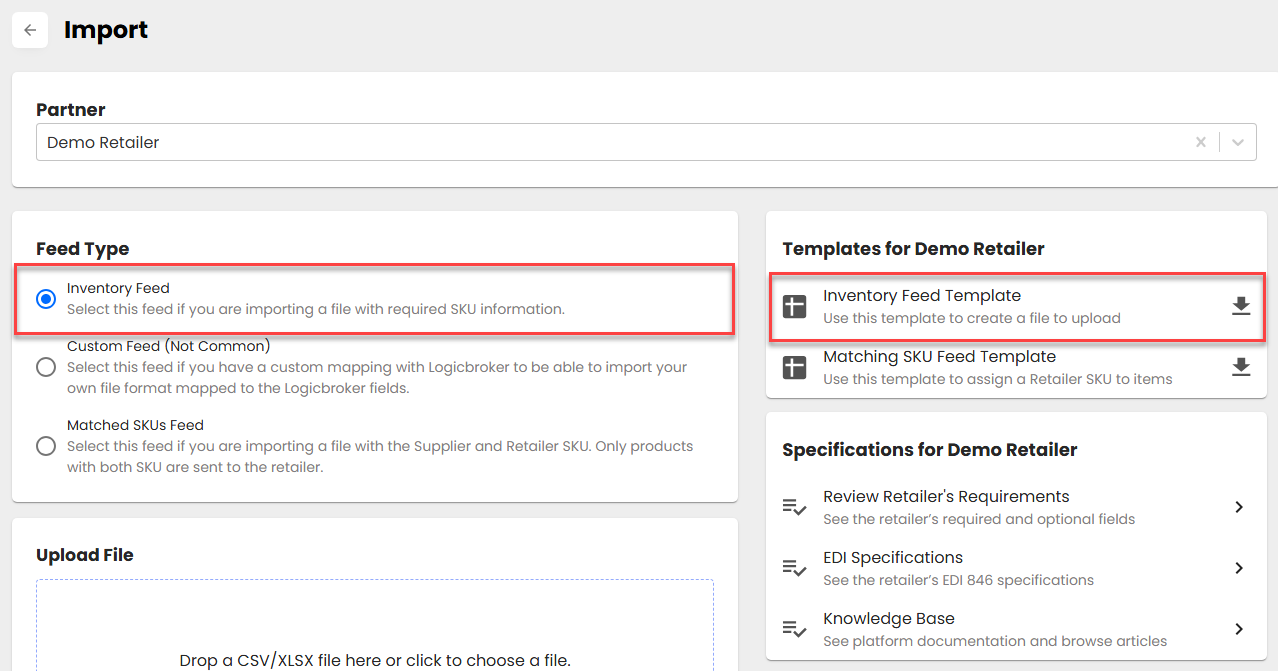
- Create your inventory file
- Portal Suppliers: Go to Import > Templates > download the Inventory Feed Template > fill it out
- API, EDI Suppliers: Your development and EDI teams should work on mapping all API/EDI specs and getting the file ready to send from your system.
- Portal Suppliers: Go to Import > Templates > download the Inventory Feed Template > fill it out
- Upload or send your inventory file
- Portal Suppliers: Upload your template file into the portal from the Inventory page > Import > Upload Files > Supplier Feed. Note: Excel uploads are preferred since CSV may cause scientific notation errors
- API, EDI Suppliers: Send the inventory file through your established connection. Ensure you are sending it to the correct environment (if you are testing, please send inventory to our stage environment).
- Confirm your inventory file was uploaded/send successfully: In the portal, from the Inventory page, go to Events > look for the Inventory Imported event to ensure your file was uploaded successfully. Review any errors and reupload/resend if necessary.