
Note : You will need to upload/send a live product feed once you move to the production portal as feeds do not carry over from stage to production.
Review your partner's product specifications
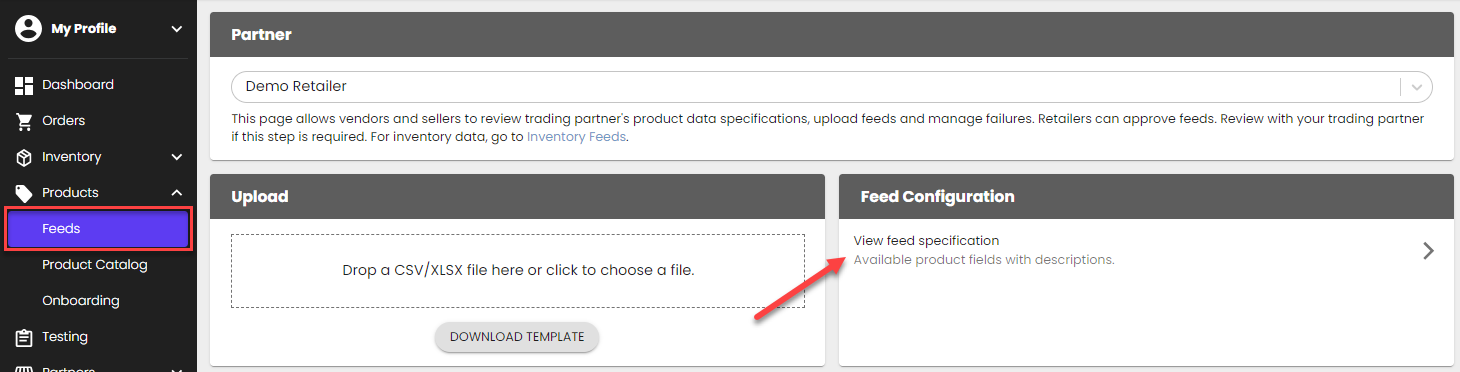
Review RETAILER NAME 's product requirements from the Product Feeds page> Feed Configuration > View feed specification.
Download a template
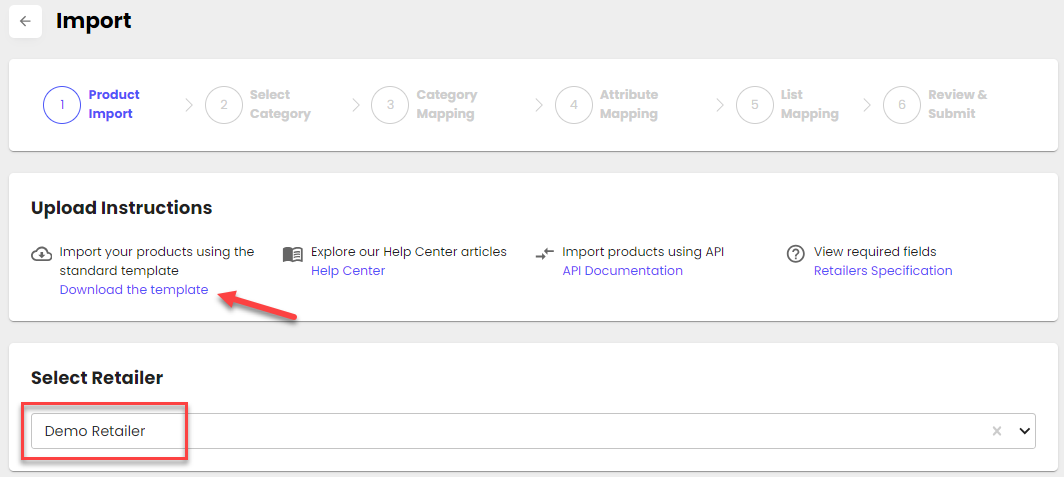
Go to the Product Onboarding Center > Import page > select RETAILER NAME > ' Download template'
Upload or send your product feed
- Through the portal: Upload your template file into the portal from the Product Onboarding Center > Import page
- Through the API: Use this endpoint to send a product feed: POST /api/v2/ProductOnboardingCenter/Products
- Through Shopify: Confirm with Logicbroker to see if your account is automatically set up to pull products natively through Shopify. Only products with the tag 'Logicbroker' and in an 'Active' status will be pulled (products must have unique SKUs)
Confirm your product file was uploaded successfully
In the portal, Product Onboarding Center, go to My Catalog > review the products that were added.