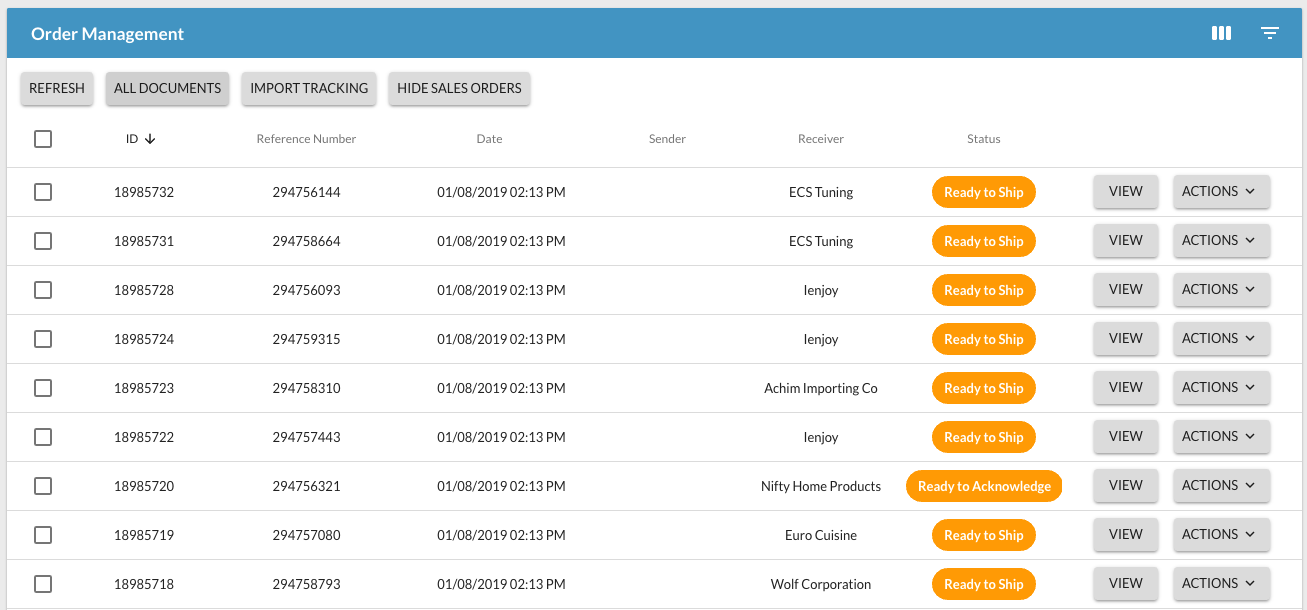
The Order Management page shows you all orders submitted by the Retailer or Partner.
Definitions:
- ID# is a unique identifier used by Logicbroker.
- Reference# is typically the PO Number or PartnerPO. This is the reference number to use in your internal systems, shipments, etc.
- Date is the date and time the document was entered into Logicbroker's system
- Sender is the name of the retailer who sent the order.
- Receiver is the name of the vendor (you!).
- Status is the purchase order status.
- View is how to view the Order Details.
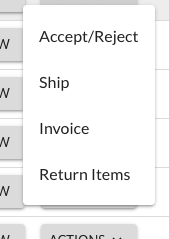
- Actions are some of the main actions you can take on a PO. See screenshot.
Other Highlights:

- Refresh updates the page with any new updates since the last time the page loaded.
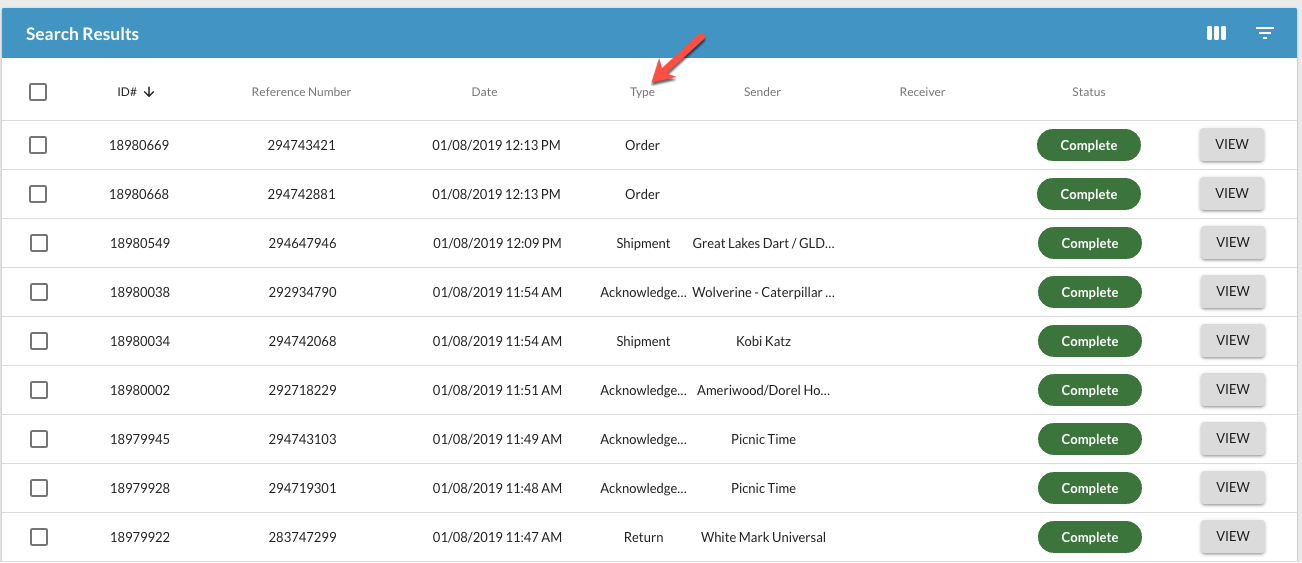
- All Documents shows you not just the purchase orders but the related documents associated to the purchase order (shipments, acknowledgements, returns, etc.).
- NOTE: The Type column displays the specific document being referenced. This column only appears in the All Documents view.
- Import Tracking Information. See the Tracking Information Bulk Upload article for more details: LINK
- Hide Sales Orders is used for Retailers only. The feature will not add any value to a supplier/vendor.
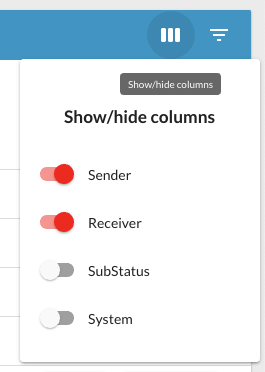
- Show/Hide Columns allows you to adjust a few of the visible columns.
- Filters Results allows you to filter off any of the headers, including Status.


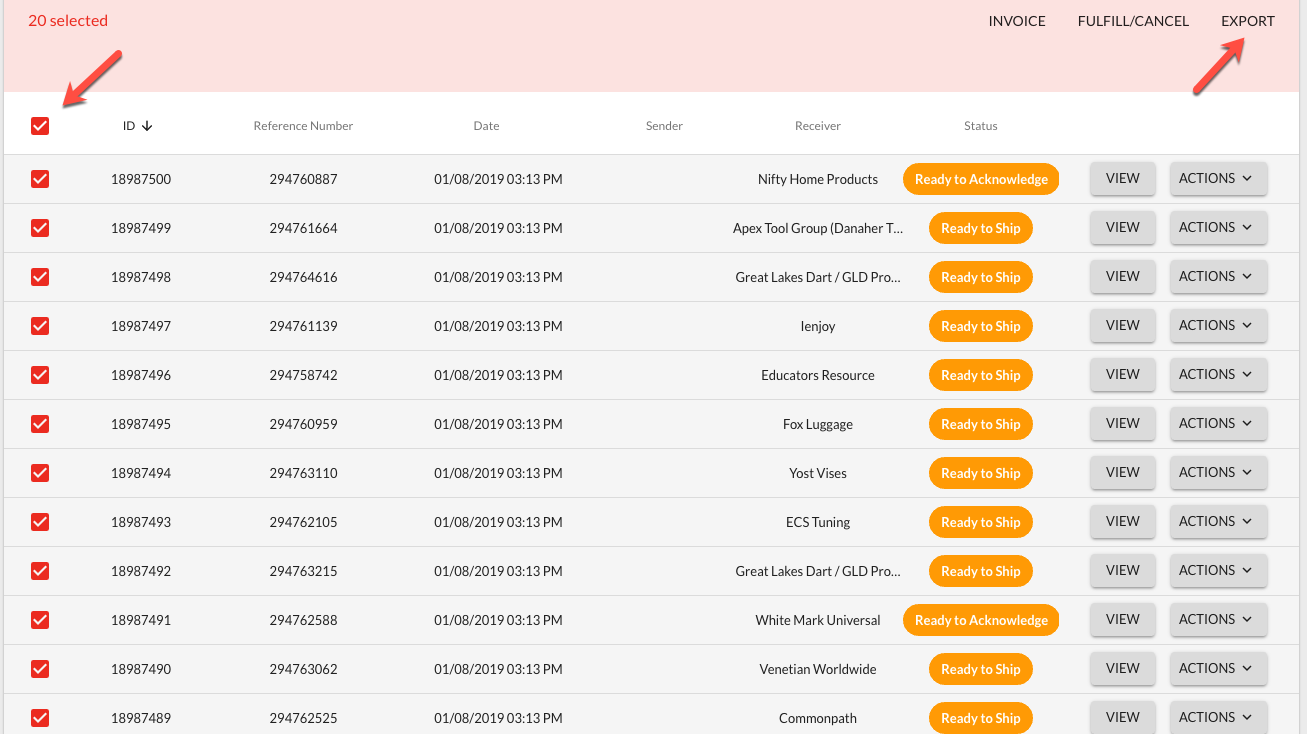
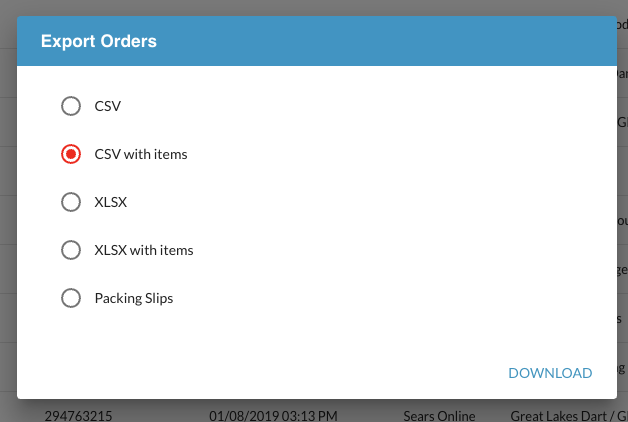
- Export allows you to download detail order data from orders visible on the screen. It also allows you to download Packing Slips in bulk.
- First, select the orders you wish to download.
- Second, click on Export.
- Third, make your selection and click on Download.
- NOTE: You may also do bulk invoices, shipments and cancels from this screen.