
Note: You will need to upload/send a live product feed once you move to the production portal as feeds do not carry over from stage to production.
Review your partner's product specifications
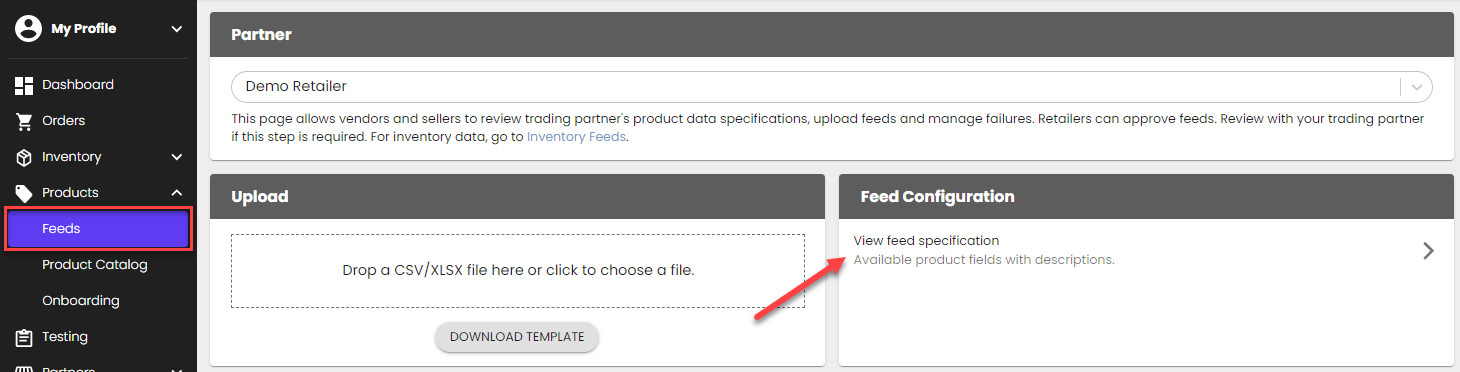
Review Woodland Direct's product requirements from the Product Feeds page > Feed Configuration > View feed specification.
Download a template
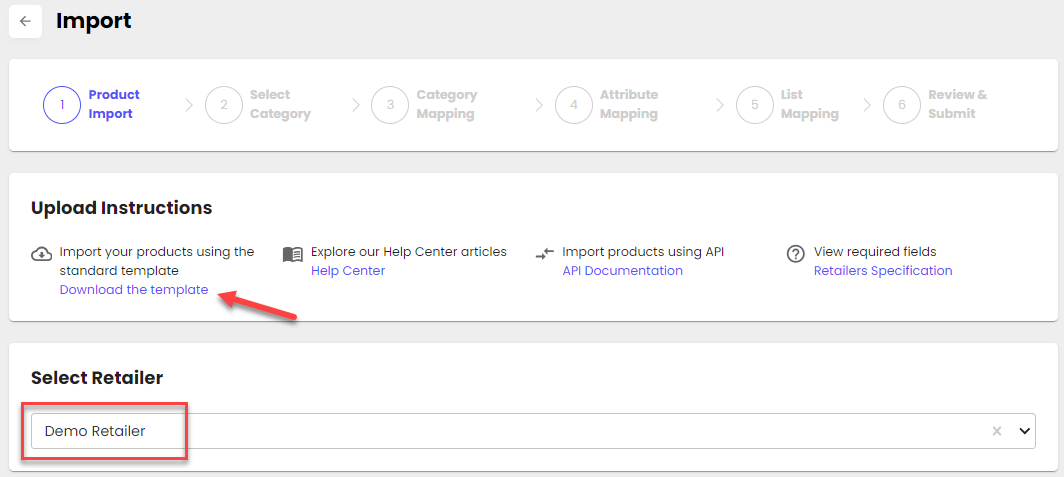
Go to the Product Onboarding Center > Import page > select Woodland Direct > 'Download template'
Upload or send your product feed
- Through the portal: Upload your template file into the portal from the Product Onboarding Center > Import page
- Through the API: Use this endpoint to send a product feed: POST /api/v2/ProductOnboardingCenter/Products
Confirm your product file was uploaded successfully
In the portal, Product Onboarding Center, go to My Catalog > review the products that were added.