
Logicbroker will check each invoiced item to ensure it has been included in a ship document / ASN. This is very important for ZAGENO to have an audit trail to prove to our end customer why we’re billing them. This is also important for ZAGENO accounts payable teams to see proof of shipment before we pay an invoice.
If an invoice fails because of an un-shipped item(s), you will get a failure email notification and within the portal you will see the messages as follows within your invoice document:
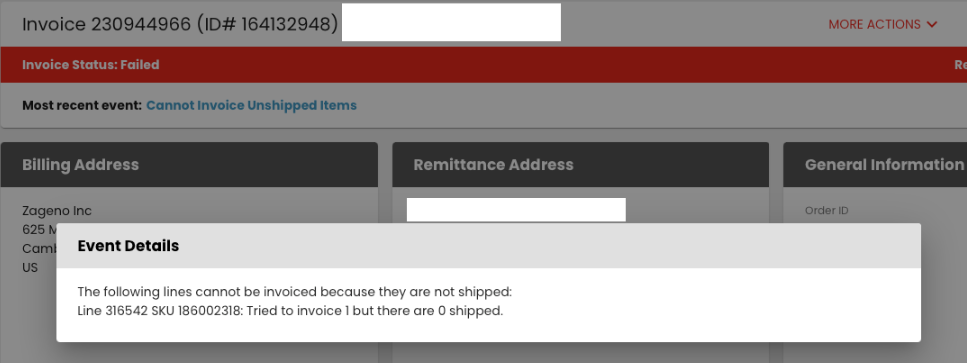
To resolve the failed invoice, please ensure the item(s) in question are included in a value ship doc / ASN that’s in a complete status within Logic Broker. If you don’t see the item(s) within a complete ship doc / ASN, please transmit one. Once you’ve transmitted the ship doc / ASN with the item(s) in question, please retry the failed invoice. To retry the invoice, go to the failed invoice and at the top under more actions, choose change status and then choose retry.
