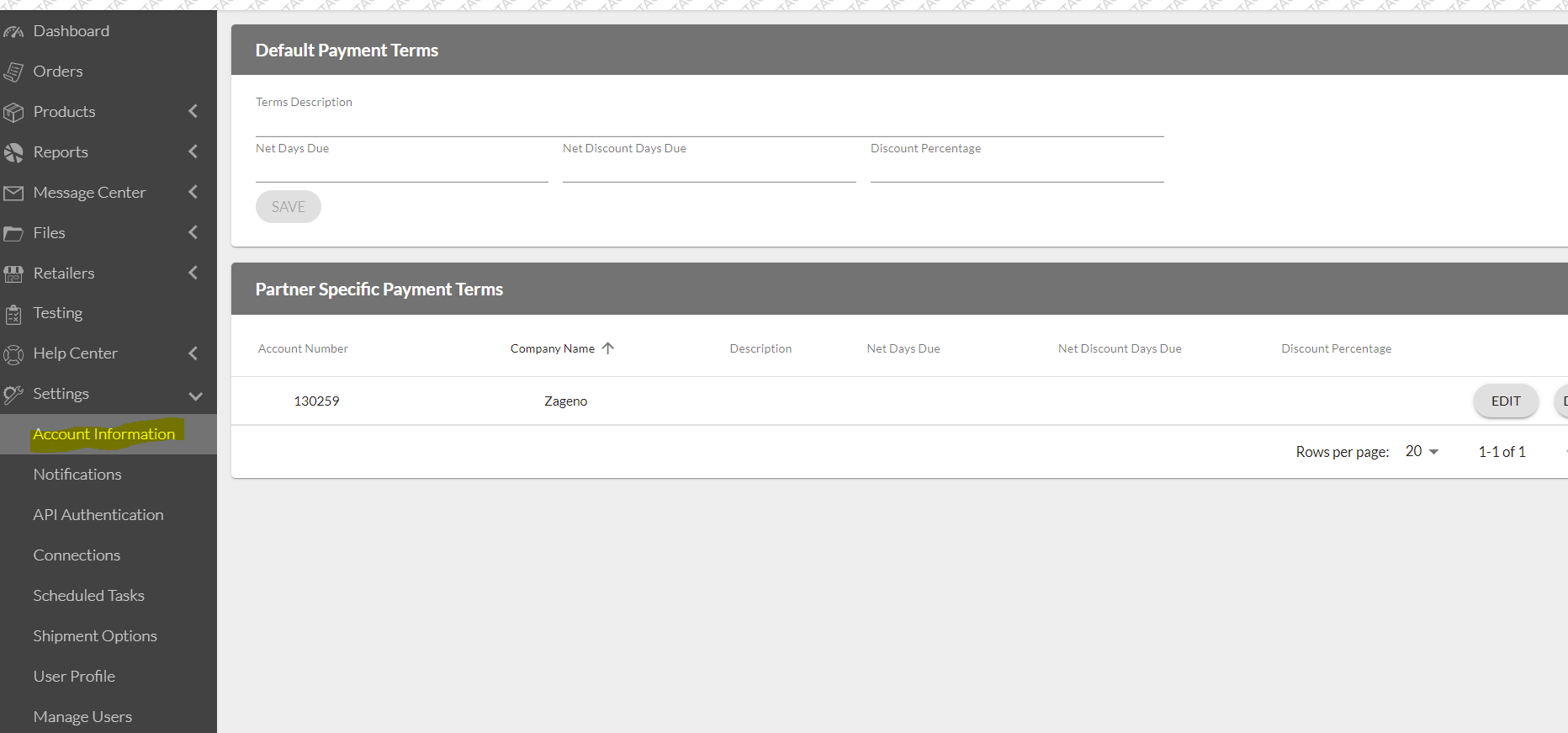
To process Invoices in the Logicbroker system for Zageno, Payment Terms need to be entered into the Portal.
To Set up Payment Terms:
Navigate to the Stage or Production Portal: https://account.logicbroker.com/select-environment
Select - Settings
Select - Account Information. Choose the line for Payment Terms under the Document Defaults section of the page.
Enter the payment terms under Default Payment Terms and when you are finished, remember to hit Save.